SkillEquipManager && PracticalNode
SkillEquipManageris a manager class of control the lifecycle of the skills.The basic unit ofSkillEquipManagerisPracticalNode.PracticalNode.csis already created and tested and it’s not expected to be modified.PracticalNodeis a class “packaing”LTNodeand it adds some bool state variable such asisTriggering,isTriggered,isPlayingand so on. The state of thePracticalNodeis managed by theSkillEquipManager.SkillEquipManagerwill be automatically loaded to the gameobject when coming to play mode.
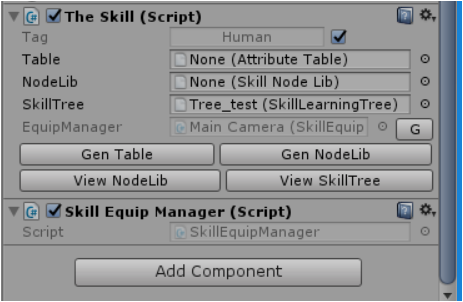
Though the PracticalNode has state variables, you’d better use the
function SkillEquipManager.checkStatus(string skillName) supported
to query the state of them.
It will return enum state variables such as
SkillStatus.NonExist,SkillStatus.NonActivated,SkillStatus.Playing,SkillStatus.Free
and SkillStatus.CoolDowning.
- If a skill is not activated(
NonActivated), it cannot be played( to activate, go to the tree node ). - If a skill is cooldowned and ready for trigger, it is
Free. - If a skill is exited and cooldowning , it is
CoolDowning. - else, a skill is
Playing.
Besides,you can set and get your skill scripts’ properties using the
functionsSkillEquipManager.setProperty<T>(string skName,string property,T value,bool useBase),SkillEquipManager.getProperty<T>(string skName,string property,T value,bool useBase).
Further documentation can be checked in another file
Documentation for The Skil.
A lots of functions are supported for developers in
SkillEquipManager.cs.
And you can access them by GetComponent<TheSkill>().equip to get the
manager and use the functions.